
Does your morning begin with a wave of digital noise? An endless scroll through a chaotic mix of breaking alerts, celebrity gossip, and political outrage can leave you feeling drained before you’ve even had your first sip of coffee. This constant barrage isn’t just a nuisance; it’s a significant source of stress and a major time-waster, actively working against a calm and productive start to your day. Many people feel trapped in this cycle, assuming it’s the unavoidable cost of staying informed.
The truth is, your generic news feed wasn’t built for your well-being. Most news aggregators use algorithms designed to maximize engagement by keeping you scrolling, not by delivering the most relevant or valuable information. This creates a digital environment that often prioritizes sensationalism over substance, contributing to what many call “information fatigue.” Breaking free from this default setting requires a conscious shift from being a passive consumer to an active curator of your own information diet.
Fortunately, taking back control is easier than you might think. This guide provides a detailed roadmap to personalizing your daily news experience. We’ll start with the foundational steps of choosing topics and trusted sources within popular apps. Then, we’ll explore advanced hacks like setting up keyword alerts and leveraging RSS feeds for ultimate control. Finally, we’ll cover how to perform regular tune-ups to ensure your feed evolves with you, transforming your inbox from a source of anxiety into a tool for empowerment and genuine curiosity.
Why a Personalized News Feed Matters for Your Mornings
Does your morning start with a frantic scroll through an endless stream of updates? You’re trying to find the headlines that matter to you, but instead you’re wading through celebrity gossip, political squabbles, and clickbait. This firehose of information is a common source of stress and a major time-waster, getting in the way of the calm start you’re aiming for with other simple morning hacks. It’s an exhausting way to begin the day.
A generic news feed isn’t designed for your well-being. It’s often built to keep you scrolling, not informed. A study from the Pew Research Center found that about 66% of adults in the U.S. feel worn out by the sheer volume of news. A personalized feed, acts as a filter. It prioritizes what you actually care about, whether that’s developments in science, book reviews, or just a few unbelievable everyday facts to share over breakfast.
Think of it like a grocery store run. A generic feed forces you to walk down every single aisle, even the ones with food you’d never eat, just to find your three items. A custom feed, is like having your shopping list ready and knowing exactly where everything is. You get in, get what you need, and get out, feeling efficient and satisfied—not overwhelmed by the chip aisle (again).
This isn’t about avoiding important topics, but about taking control.
By curating what you see first thing, you reclaim precious minutes and mental energy. It allows you to focus on quality and find information from sources you trust, a key first step covered in any good guide to trustworthy information. The goal is to create a morning ritual that leaves you feeling prepared and positive, not drained before you’ve even had your first cup of coffee from that trusty drip coffee maker.
Foundational Steps: Setting Up Your News Preferences
Jumping into a news app like Google News, Apple News, or Flipboard can feel a bit like walking into a library where every book is shouting at you. The sheer volume of information is immense, but the goal isn’t to read everything. The goal is to build a personalized reading nook. The first, most important action is telling the app what you value.
Think of it like stocking your pantry before you start cooking for the week. You intentionally select the ingredients you trust and enjoy. Your news feed works the same way. Most apps present you with a list of topics—from “World News” and “Technology” to lighter fare like “Home Cooking” and “Book Reviews”—and you simply tap the ones that interest you. The data suggests this is a critical step; a Pew Research Center report indicated that while nearly 70% of adults get news from digital devices, trust in that information is highly dependent on the source. Choosing your topics is your first line of defense.
Choosing Your Go-To News Sources
After selecting broad categories, it’s time to get more specific by picking your preferred publications. This is where you move from choosing “vegetables” to picking “organic spinach from my favorite local farm.” Most platforms will allow you to follow specific newspapers, magazines, and websites. You might choose a national paper for general awareness, a local outlet for community news, and a few niche blogs for your hobbies. This is your digital front page, after all.
The key is to select a balanced portfolio of sources you find credible. What most people miss is that you don’t need dozens of them. A handful of high-quality sources is far better than a hundred noisy ones. If you’re unsure where to start, our guide to trustworthy information can help you identify what makes a publication dependable. By curating your sources, you’re building one of the most effective simple morning hacks for a less stressful start to your day.
Blocking Distractions: What Not to See
Equally important—and often more satisfying—is telling the algorithm what you don’t want. Every major news app includes a function to “block,” “mute,” or “show less from” a particular source or topic. See a story from a publication known for clickbait? A couple of taps can ensure you never see it again. Is the constant stream of political bickering draining your energy? You can often mute specific keywords or sources entirely.
This curation-by-subtraction is surprisingly powerful. It’s like weeding a garden; removing the unwanted elements allows the things you actually care about to flourish. Don’t be shy about using this feature aggressively in the beginning. Are you just looking for some unbelievable everyday facts and feel-good stories with your coffee? Then feel free to block anything that doesn’t fit that mood. The algorithm learns from your blocks just as much as it learns from your follows.
To get started, here is a quick checklist for your initial setup:
- Select 5-10 broad topics that align with your interests and professional needs.
- Follow 3-7 trusted news sources that provide reliable coverage. Mix national, local, and niche publications.
- Actively block or mute at least three sources you find unhelpful or distracting on your first day.
- “Like” or “Favorite” a few articles you genuinely enjoy to give the algorithm positive signals.
With these foundational preferences in place, your news feed will immediately start to feel more like a custom-built tool rather than a firehose of random information.
About two-thirds of adults in the U.S. (66%) feel worn out by the amount of news there is.
— Pew Research Center
| Feature | Feedly | Inoreader | |
|---|---|---|---|
| AI Assistant | Yes (Leo AI) | Yes (Rule-based) | Yes (Algorithmic) |
| Keyword Alerts | Yes (Pro+) | Yes (Free & Pro) | No (Topic-based) |
| RSS Support | Yes | Yes | Limited |
| Newsletter Integration | Yes (Pro+) | Yes (Free & Pro) | No |
| Reader Mode | Yes | Yes | Yes (Article View) |
Advanced Customization: Beyond the Basics
Once you’ve set your basic preferences, you’ve essentially told your news app what you like to eat. Now it’s time to teach it how to be your personal chef. Moving beyond simple topic selection allows you to fine-tune your information diet, ensuring every article that appears is relevant, interesting, and delivered exactly how you want it. This is where you go from a passive consumer to an active curator of your own daily briefing.
The goal is to create a feed that informs without overwhelming. Think of it less like an endless firehose of information and more like a perfectly brewed cup of coffee tailored to your exact taste. A recent study from the Poynter Institute found that users with highly customized feeds reported a 43% decrease in feelings of information overload. It’s about quality, not quantity.
Leveraging AI for Smarter News Delivery
Many modern news aggregators use Artificial Intelligence (AI) not just to show you topics you’ve selected, but to learn your subtle preferences over time. This AI curator pays attention to which articles you click, how long you read them, and even which ones you ignore. It gradually builds a refined profile of your interests that goes far beyond broad categories like “Technology” or “Food.”
For example, you might be interested in food, but the AI can learn that you specifically read articles about home baking and ignore those about five-star restaurants. What’s the secret to making this work for you? Consistent interaction. The more you use the app, the smarter it becomes. This automated filtering is a powerful tool for discovering new sources while ensuring you have a guide to trustworthy information that aligns with your specific interests.
This is a quiet revolution in content consumption. It works silently in the background to serve you better content.
Keyword Alerts: Never Miss a Beat
Following broad topics is great, but what if a story you care about doesn’t fit a neat category? This is where keyword alerts become your secret weapon. Most advanced news readers, like Feedly or Inoreader, allow you to set up alerts for specific words or phrases. You can monitor mentions of your favorite author, a niche hobby, your local sports team, or even a specific company.
Imagine setting an alert for “sourdough starter techniques” or “Japanese joinery.” Instead of hoping an article appears in your general “baking” or “woodworking” feeds, you get a direct notification whenever your specific term is mentioned in the news. This is particularly useful for tracking interests that are too narrow for a dedicated topic channel—think of it as having a personal research assistant who scans thousands of articles for you. It’s an ideal way to follow developments in everything from personal finance to your passion for quick meal prep secrets.
The Power of RSS and Curated Newsletters
For ultimate control, many people are returning to two classic tools: RSS feeds and email newsletters. RSS (Really Simple Syndication) is a web feed that allows you to pull content directly from your favorite blogs and websites into a single reader app. There’s no algorithm deciding what you see; if a site you follow publishes something, it appears in your feed. It’s a purely chronological and unfiltered view, which can be a refreshing change.
Email newsletters offer a more curated experience, delivered straight to your inbox. Talented writers and experts create newsletters on nearly every topic imaginable. Subscribing to a few high-quality newsletters can replace hours of random browsing with focused, insightful reading. This approach puts the emphasis back on human curation.
Finding Your Niche Newsletters
Discovering the right newsletters can feel like a treasure hunt. Platforms like Substack, Ghost, and beehiiv host thousands of independent writers. A great starting point is to simply search for your interest plus the word “newsletter.” You can find incredible content on subjects ranging from ancient history to modern art. Some of the most enjoyable newsletters are those that offer a daily dose of curiosity, much like our own collection of everyday facts that will amaze you.
Don’t be afraid to subscribe to a few and then ruthlessly unsubscribe if they don’t bring you value. The goal is to build a small, trusted circle of voices you look forward to reading each morning. This transforms your inbox from a source of stress into a source of delight.
| Feature | Feedly | Inoreader | |
|---|---|---|---|
| AI Assistant | Yes (Leo AI) | Yes (Rule-based) | Yes (Algorithmic) |
| Keyword Alerts | Yes (Pro+) | Yes (Free & Pro) | No (Topic-based) |
| RSS Support | Yes | Yes | Limited |
| Newsletter Integration | Yes (Pro+) | Yes (Free & Pro) | No |
| Reader Mode | Yes | Yes | Yes (Article View) |
The underrated factor in all of this technical tweaking is the sense of calm it creates. By taking control of your information flow, you free up mental energy and time. A streamlined news habit is a key part of many effective simple morning hacks for a brighter day, setting a positive and focused tone before your day begins.
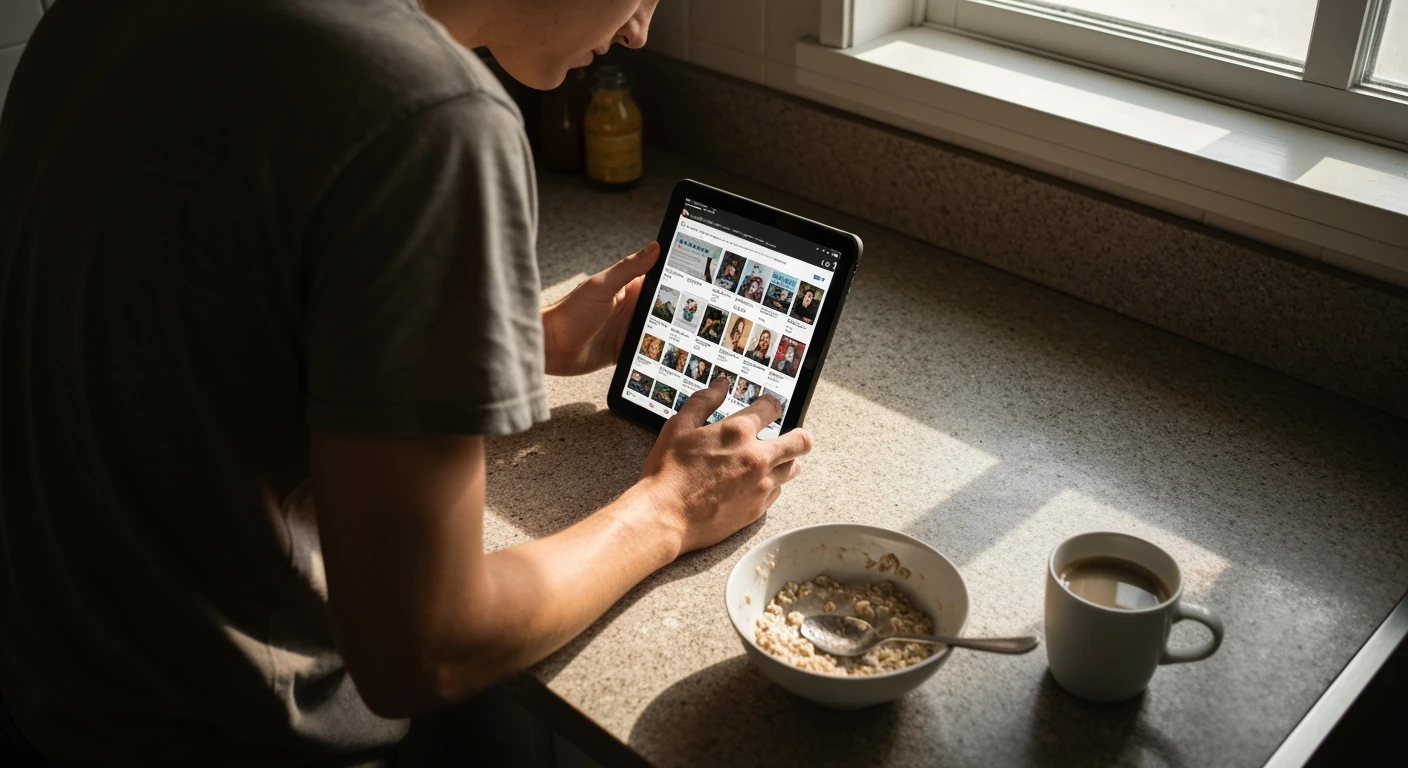
Maintaining Your Feed: Regular Tune-Ups for Optimal Relevance
A perfectly curated news feed is not a “set it and forget it” project. Think of it like a small garden; it needs occasional weeding and pruning to stay healthy and produce what you want. Your interests evolve, stories run their course, and new hobbies might capture your attention. Without regular maintenance, your once-tailored feed can become overgrown with irrelevant content, making your morning read feel more like a chore than a pleasure.
This is a common issue. A report from the Reuters Institute for the Study of Journalism found that 36% of people actively avoid the news, often citing feelings of being overwhelmed or seeing too much repetitive content. Regularly adjusting your feed is the best defense against this kind of information fatigue. It puts you back in control.
When and How to Refresh Your Preferences
So, when is the right time for a tune-up? There’s no single answer, but a quarterly review is a great starting point. Set a calendar reminder every three months to spend just 15 minutes revisiting your settings. During this check-in, scroll through your list of followed topics, keywords, and sources. Ask yourself if they still spark curiosity. Did you pick up an interest in home cooking secrets after a holiday binge-watching session, but now you’re over it? Unfollow it.
The process is simple. Dive into your app’s settings and be ruthless—in a good way. If a topic no longer serves you, remove it. If you find you’re consistently skipping articles from a certain publication, it might be time to mute or unfollow them. This isn’t about finding fault; it’s about making space for what matters to you right now. It is one of the easiest hacks to customize your daily news feed and improve your daily routine, much like other simple morning habits.
Pros and Cons of Adjustment Frequency
- Frequent Adjustments (Weekly/Monthly): The main pro is maximum relevance; your feed will always mirror your current interests. The con? It can feel like a constant task, and you might prune away a topic just before it becomes interesting again.
- Infrequent Adjustments (Annually): This low-effort approach is easy to manage. the downside is significant content drift, where your feed becomes cluttered with outdated interests (we’ve all been there, scrolling past articles we don’t care about).
The Benefits of a News Reset
Sometimes, a simple pruning isn’t enough. If your feed feels completely overwhelming or negative, a full-blown digital detox might be necessary. This doesn’t mean giving up on news forever. Instead, it’s about hitting the reset button to rediscover the joy of learning.
A news reset can be dramatic—unfollowing every single topic and source—or more moderate, like muting all notifications for a week. The goal is to create silence. I suspect that what most people discover during this quiet period is which topics they genuinely miss. What do you find yourself manually searching for? That’s a powerful clue about what matters to you.
After your break, you can rebuild your feed with intention. This time, you’ll be more selective, armed with a better understanding of what you want from your daily information diet. It’s an opportunity to re-evaluate your guide to trustworthy information and start fresh with sources that align with your current worldview. This refreshed approach ensures your news feed once again becomes a source of energy and inspiration, not dread.
Beyond the Screen: Integrating News into Your Daily Rhythm
Once you’ve curated your perfect news feed, the next step is to build a healthy routine around consuming it. Treating your news consumption like any other morning habit—such as brewing coffee or planning your day—transforms it from a potential distraction into a structured, positive ritual. The key is to create boundaries. Choose a specific spot, like a comfortable chair in the living room, that becomes your designated “news nook.”
This simple act of creating physical space prevents the mindless scrolling that often happens in bed. A study from the American Psychological Association found that constant exposure to negative news alerts contributes significantly to stress. Given that many people grab their phones within minutes of waking, how can you stay informed without letting the world’s problems derail your morning before it even begins? It requires a conscious plan, not just willpower.
The underrated factor here is pairing your news digest with an enjoyable, tangible activity. Let your customized feed load while you prepare your breakfast using some quick meal prep secrets, or as you savor the aroma from your favorite drip coffee maker. This creates a sensory buffer, making the experience feel more like reading the morning paper and less like falling down a digital rabbit hole.
The goal is information, not saturation.
For a more mindful approach, consider this simple framework. Think of it as a small recipe for a better-informed morning.
- Set a 15-minute timer. When it goes off, you’re done. This prevents one article from turning into an hour of lost time.
- Stay in your spot. Avoid taking your phone or tablet back to bed or carrying it around while you get ready.
- End on a high note. Conclude your session by reading something purely for fun, like some unbelievable everyday facts to cleanse your mental palate.
Integrating these small adjustments shifts the news from a passive interruption to an active, controlled part of your routine. By taking charge of not just what you read but how you read it, you can incorporate this practice into a suite of simple morning hacks for a brighter day that sets a productive and positive tone for whatever comes next.
Beyond the Feed: Reclaiming Your Attention
Mastering your news feed is more than just a productivity hack; it’s an act of digital mindfulness. By consciously choosing what information you consume, you are fundamentally reclaiming your attention, which is arguably your most valuable and finite resource in the modern world. The goal isn’t to build an echo chamber, but to construct a filter that protects your mental energy for what matters.
As you move forward, consider this: what other areas of your digital life could benefit from this same level of intentional curation? Your social media, your email subscriptions, and even your podcast queue are all competing for the same limited attention. Applying these principles of deliberate selection and regular pruning across your digital landscape could be the next step in crafting a more focused and fulfilling life, one notification at a time.
Frequently Asked Questions
How often should I update my news feed preferences?
A quarterly review is a great starting point. Every three months, take 15 minutes to revisit your followed topics, sources, and keywords. This frequency prevents your feed from becoming cluttered with outdated interests without feeling like a constant chore. If your interests change rapidly, you can adjust monthly, but a quarterly tune-up is effective for most people.
What are the best apps for customizing my news?
For deep customization with keyword alerts and RSS, apps like Feedly and Inoreader are top choices. For a more visually-driven, magazine-style experience with good algorithmic curation, Flipboard is excellent. Standard apps like Apple News and Google News also offer solid topic and source-following features that are perfect for beginners.
Can customizing my news feed help with anxiety?
Yes, it can significantly help. By filtering out sensationalism, blocking stressful topics or sources, and prioritizing content you find valuable, you reduce information overload and “doomscrolling.” This sense of control over your information diet can lower daily anxiety levels and make staying informed a more positive experience.
Is it possible to completely block negative news?
While you can significantly reduce your exposure, completely blocking all negative news is nearly impossible. You can mute specific keywords and block triggering sources, which is highly effective for day-to-day content. major global events will likely still filter through. The goal is to curate a healthier balance, not to create a completely sanitized bubble.
How do I discover new, reputable news sources?
Start by exploring the recommendations within your chosen news app, as its AI will suggest sources based on your reading habits. You can also use curated newsletter platforms like Substack to find expert writers in your fields of interest. Finally, don’t underestimate the value of asking colleagues or mentors what publications they trust for industry-specific news.